Features
Everything FireBin does
It is in alpha, and it already does a lot. It is all on this one page; jump to any of it from the bar above.
Scan to enrich
Scan a distributor bag, and the part fills itself.
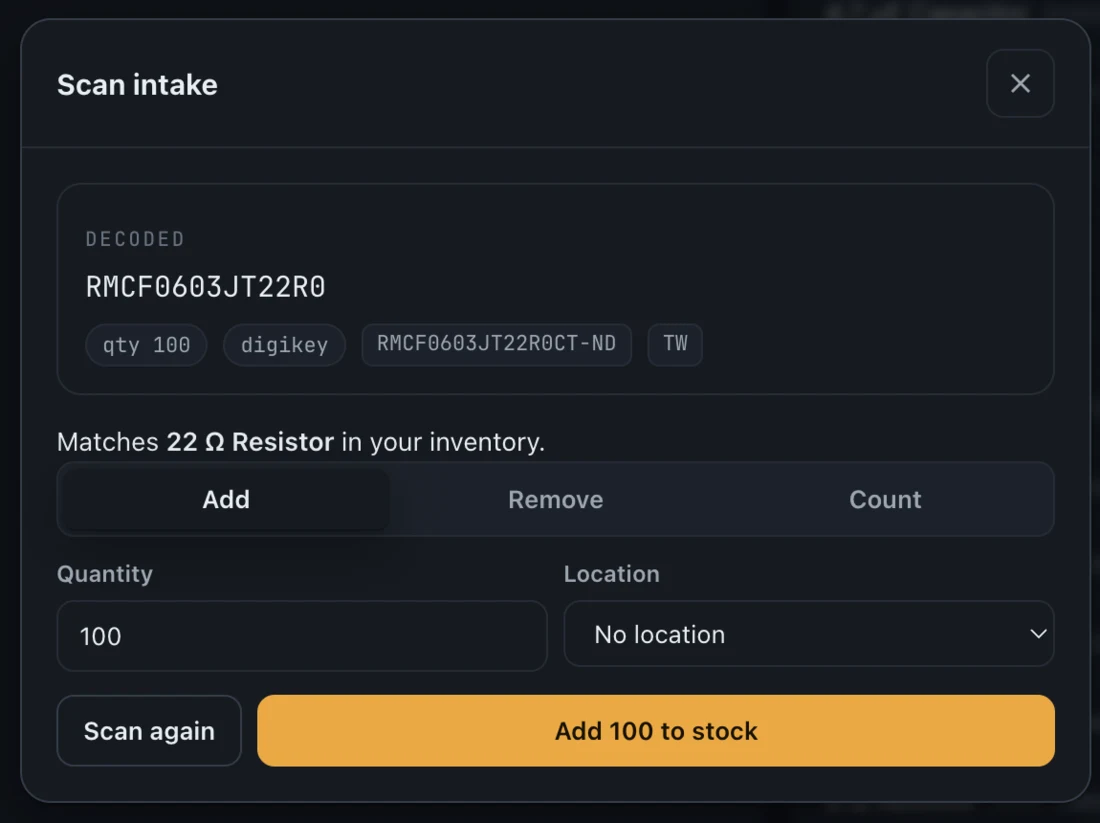
Adding parts is the slow part of any inventory, so FireBin makes it nearly free. Point a camera or a USB scanner at the label on a distributor bag; FireBin reads the barcode, matches it to a part you already have, or looks the MPN up and fills in the rest.
-
Reads the real barcode
Parses the ECIA EIGP-114 Data Matrix that Digi-Key, Mouser, and LCSC print, pulling the MPN, quantity, and order number.
-
Camera or wedge scanner
Use your phone camera on a secure connection, or any USB or Bluetooth wedge scanner, whichever is on the bench.
-
Enriches by itself
A new part looks itself up through Digi-Key and Nexar for the datasheet, parameters, image, and quantity price breaks.
-
One tap to shelve it
A matched scan books the quantity straight into a bin, so the part is on the shelf and in the catalogue at once.
Parts and variants
One name, many part numbers.
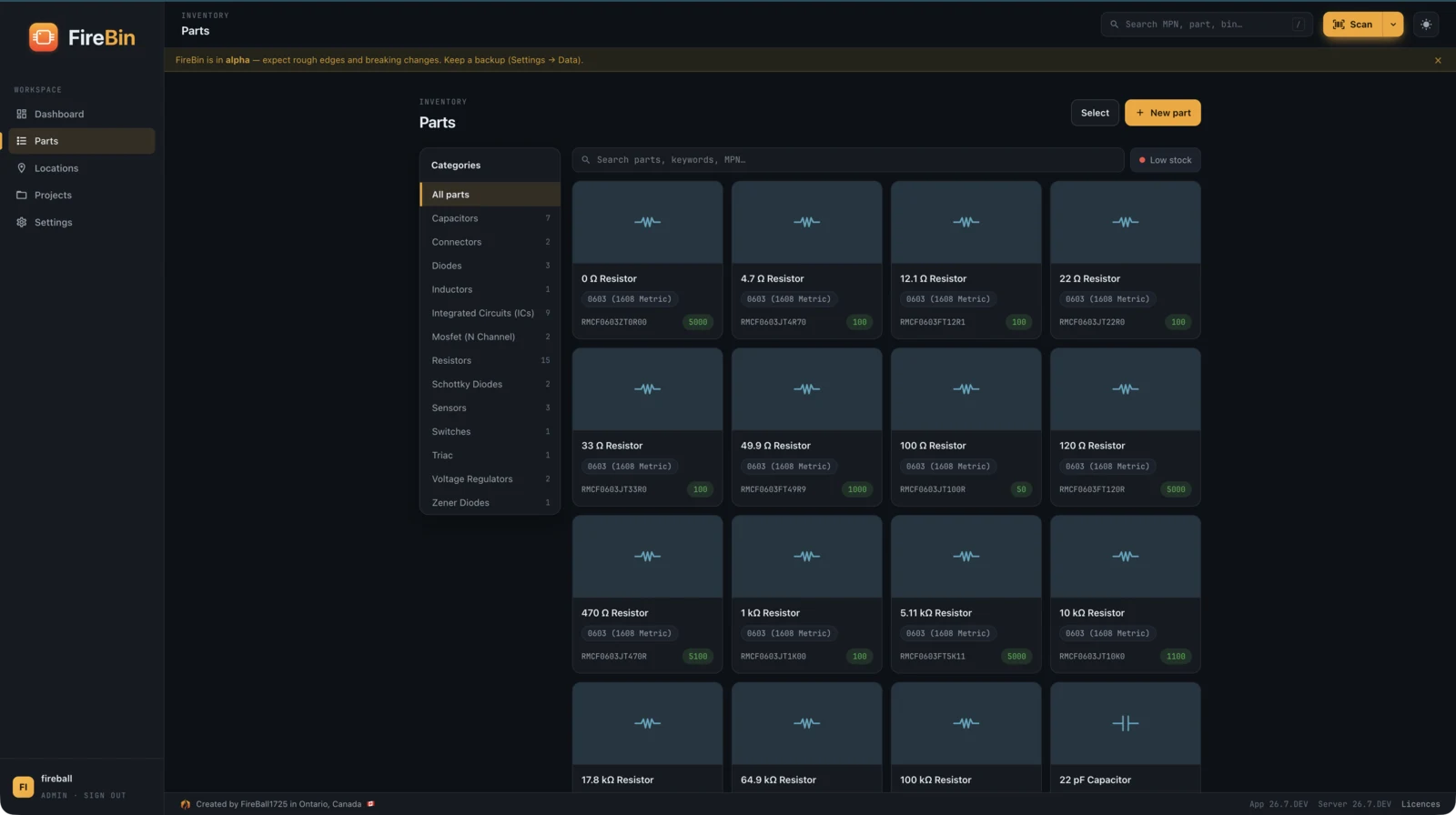
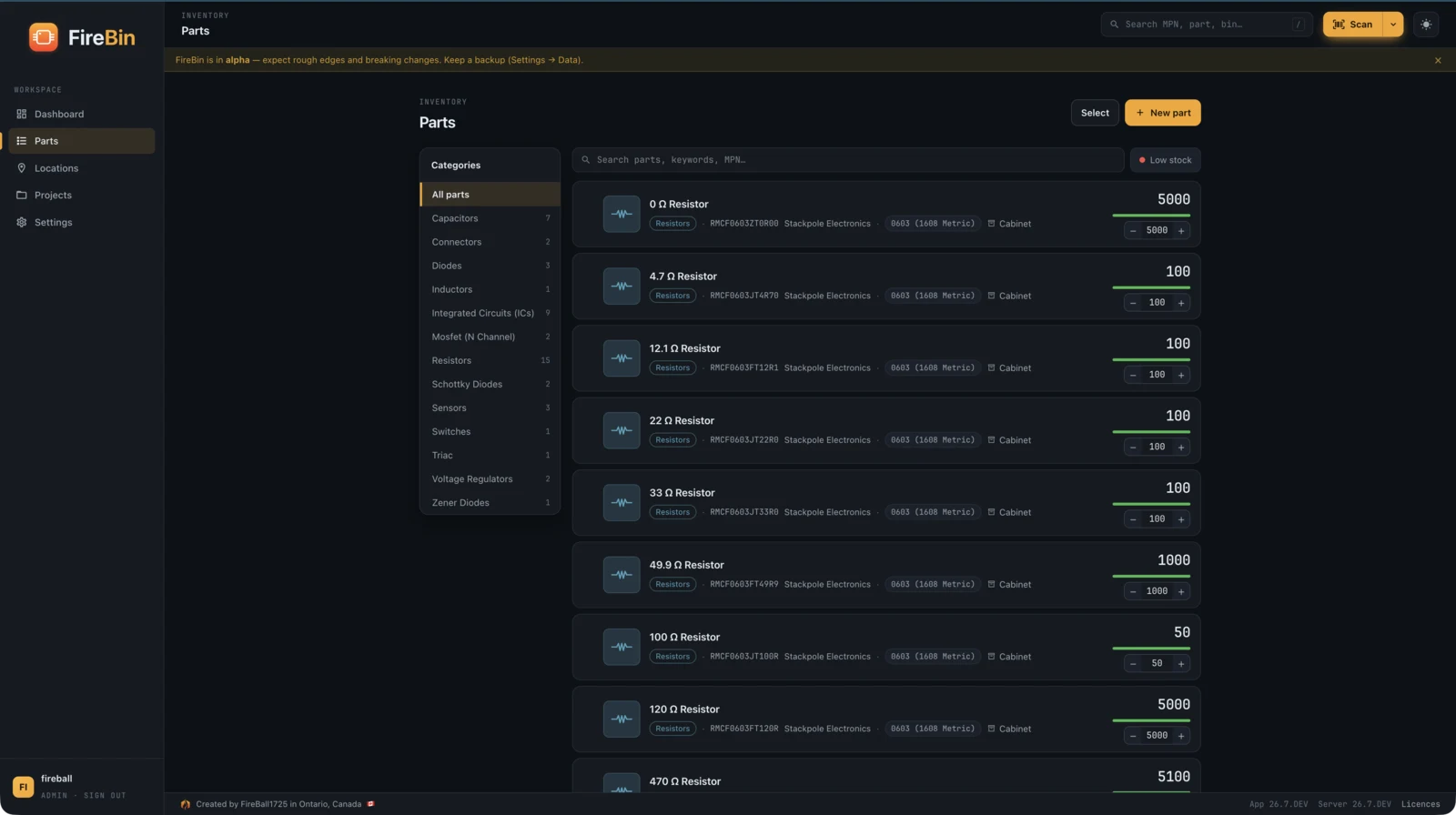
The thing you reach for is a "1k 0603 resistor". Underneath it live many real part numbers that differ by tolerance, package, and brand. FireBin groups them so the catalogue reads the way you think, and each variant still tracks its own stock, suppliers, and price.
-
Template and variants
Group variants under one part, or keep standalone parts flat. You see what you reach for, not a wall of MPNs.
-
Grid, table, or list
Switch views to suit the moment: a visual grid with category colours, a dense table, or a compact list.
-
Sorts the way parts are named
Values sort naturally, so 100n, 1u, and 10u land in order instead of alphabetically.
-
Bulk actions
Select many parts to move them, refresh their metadata, or print a sheet of labels in one go.
The part page
Parameters, suppliers, stock, and history in one place.
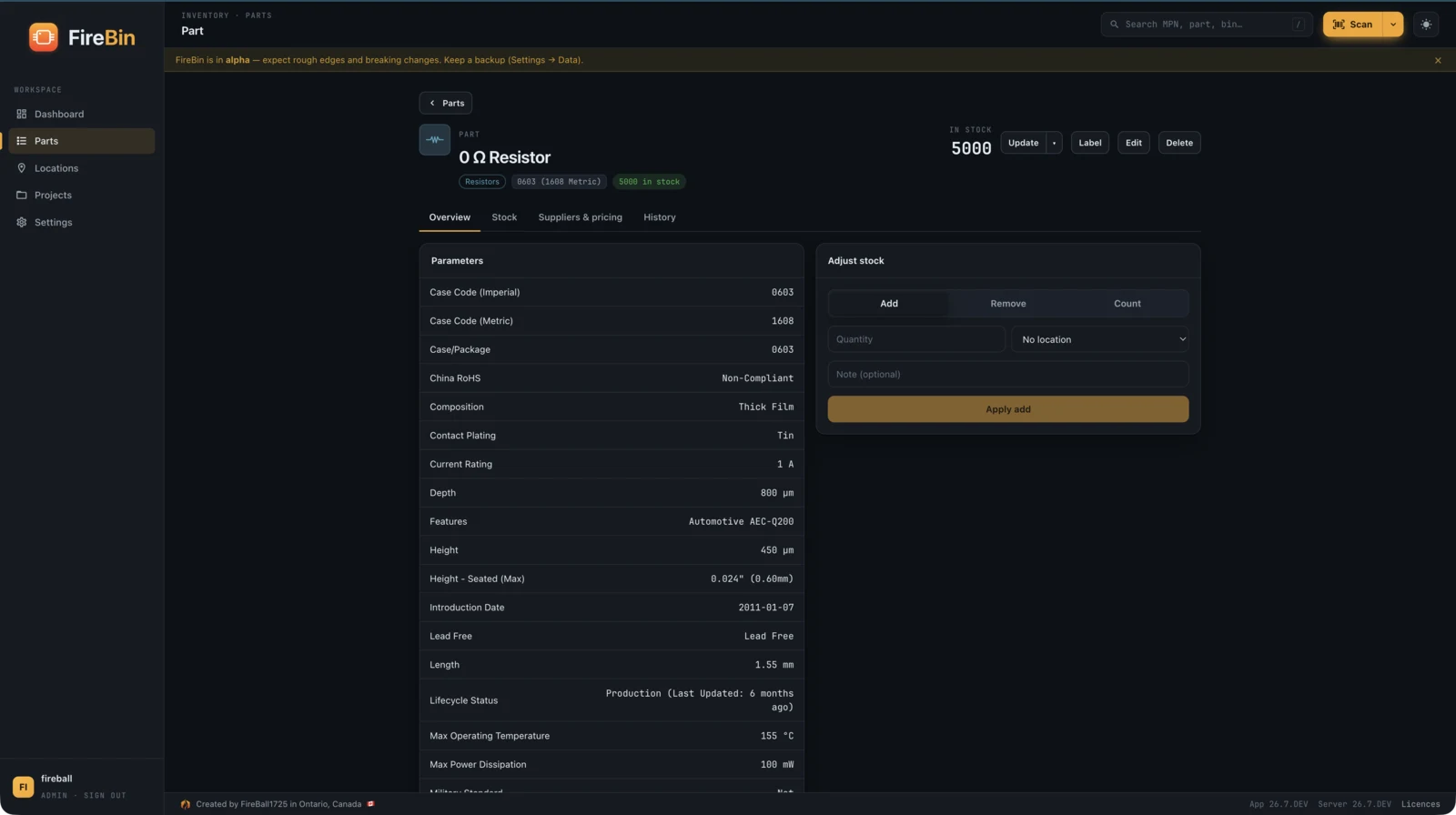
Open a part and everything about it is on one page, split into tabs so it does not turn into a scroll. Typed parameters with units, the datasheet and image, the manufacturers and suppliers that carry it with their price breaks, where the stock sits, and every change over time.
-
Typed parameters
Tolerance, package, power, voltage, and temperature coefficient, each with its own units, from enrichment or entered by hand.
-
Suppliers and pricing
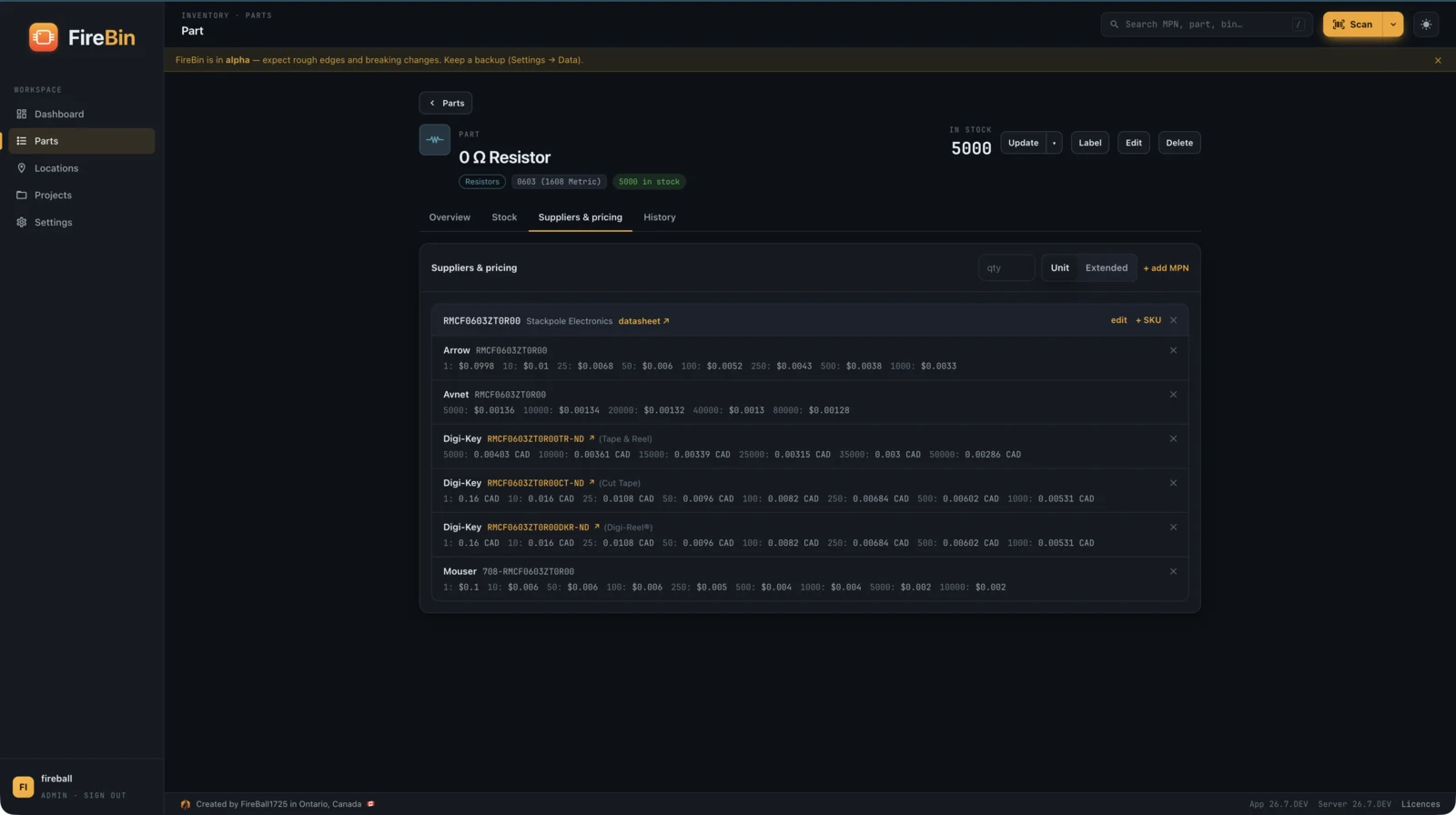
Manufacturer parts, supplier SKUs, and quantity price breaks in your currency, each linking straight to the vendor page.
-
Stock by bin
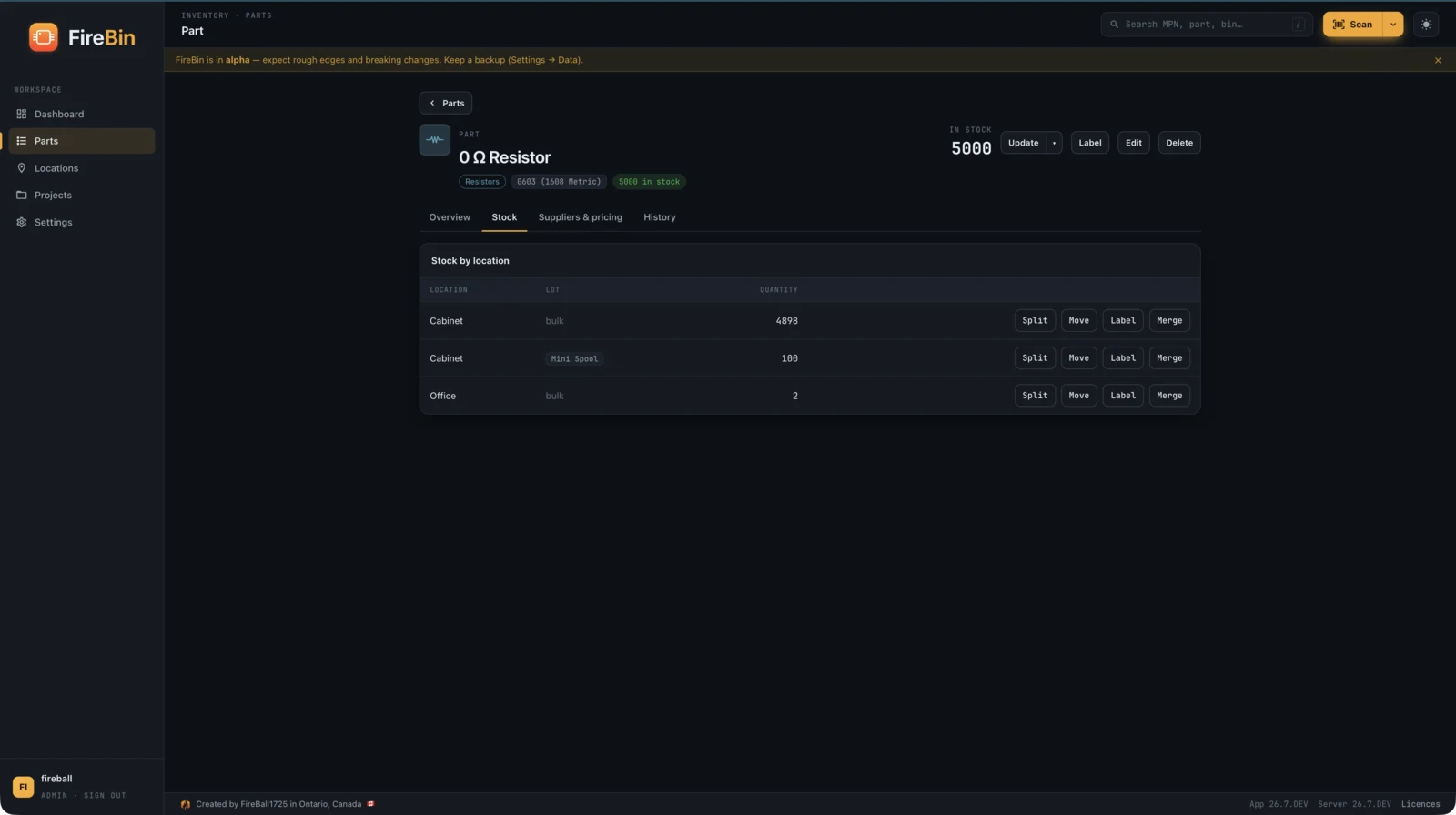
See how much sits in each location, and adjust it right there.
-
A full history
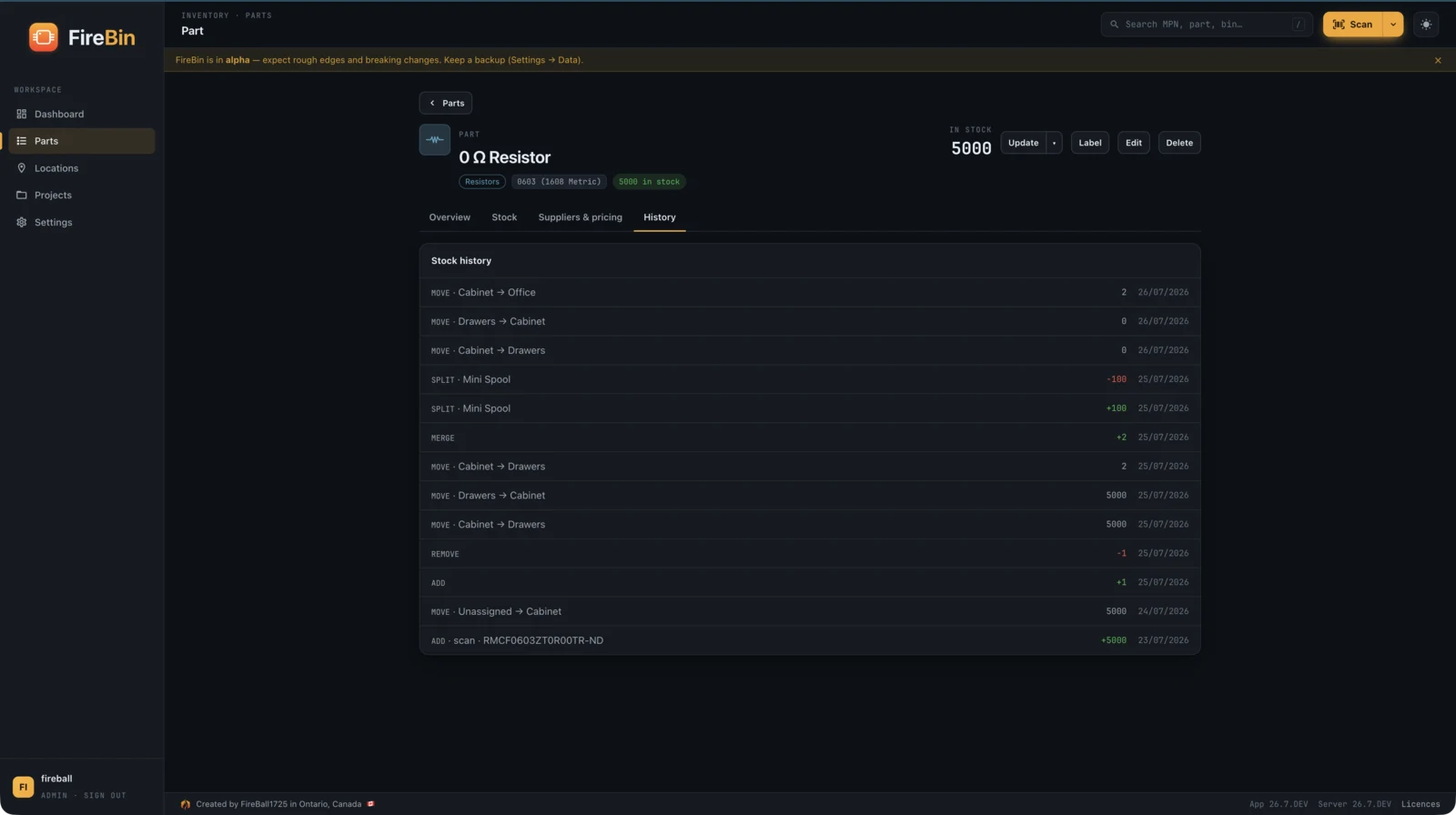
Every add, remove, move, and count is logged, so you can see where a part went.
Stock, bins, and lots
Track quantity per bin, and cut a reel into a barcoded spool.
FireBin tracks quantity per location, with a scannable barcode on every bin. Scan a bin to see what is in it; scan a part to add, remove, or count without a keyboard. Cut a hundred pieces off a reel onto a mini spool, give it its own barcode, and the lot keeps its own identity while still rolling up to the part total.
-
Scannable bins
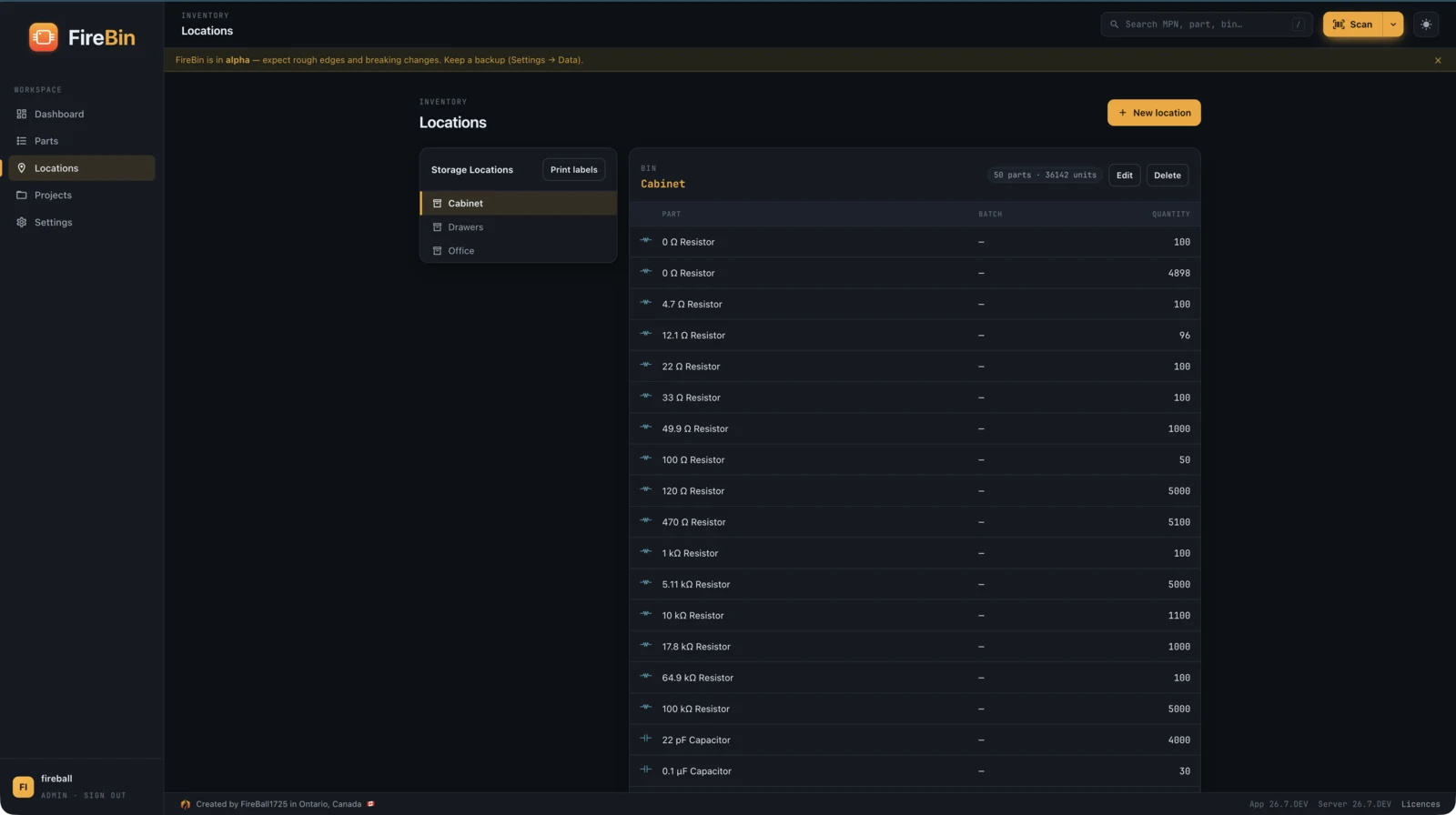
Every location has a barcode. Scan a bin to list its contents, or scan it while holding a part to move the part there.
-
Lots off a reel
Split a lot off a reel onto a barcoded mini spool. Merge, relocate, and adjust lots without losing the trail.
-
Adjust by scanning
Scan a part to add, remove, or set a count, with a wedge scanner or the camera.
-
Nothing is silently deleted
A lot that hits zero stays, so its history survives and you can reorder into it. Cleanup is opt-in.
KiCad BOM and board render
Upload a board; match every line to your inventory.
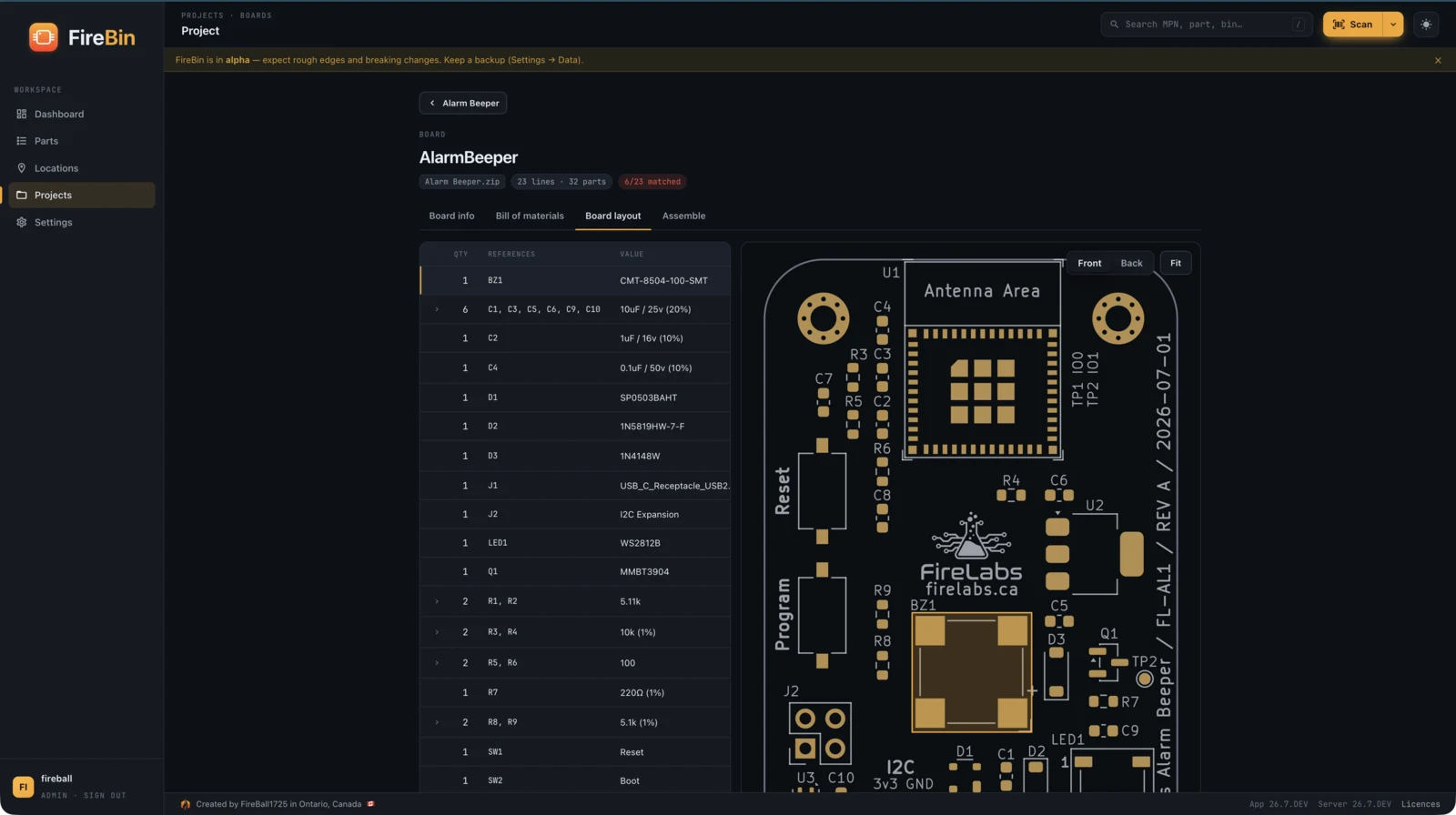
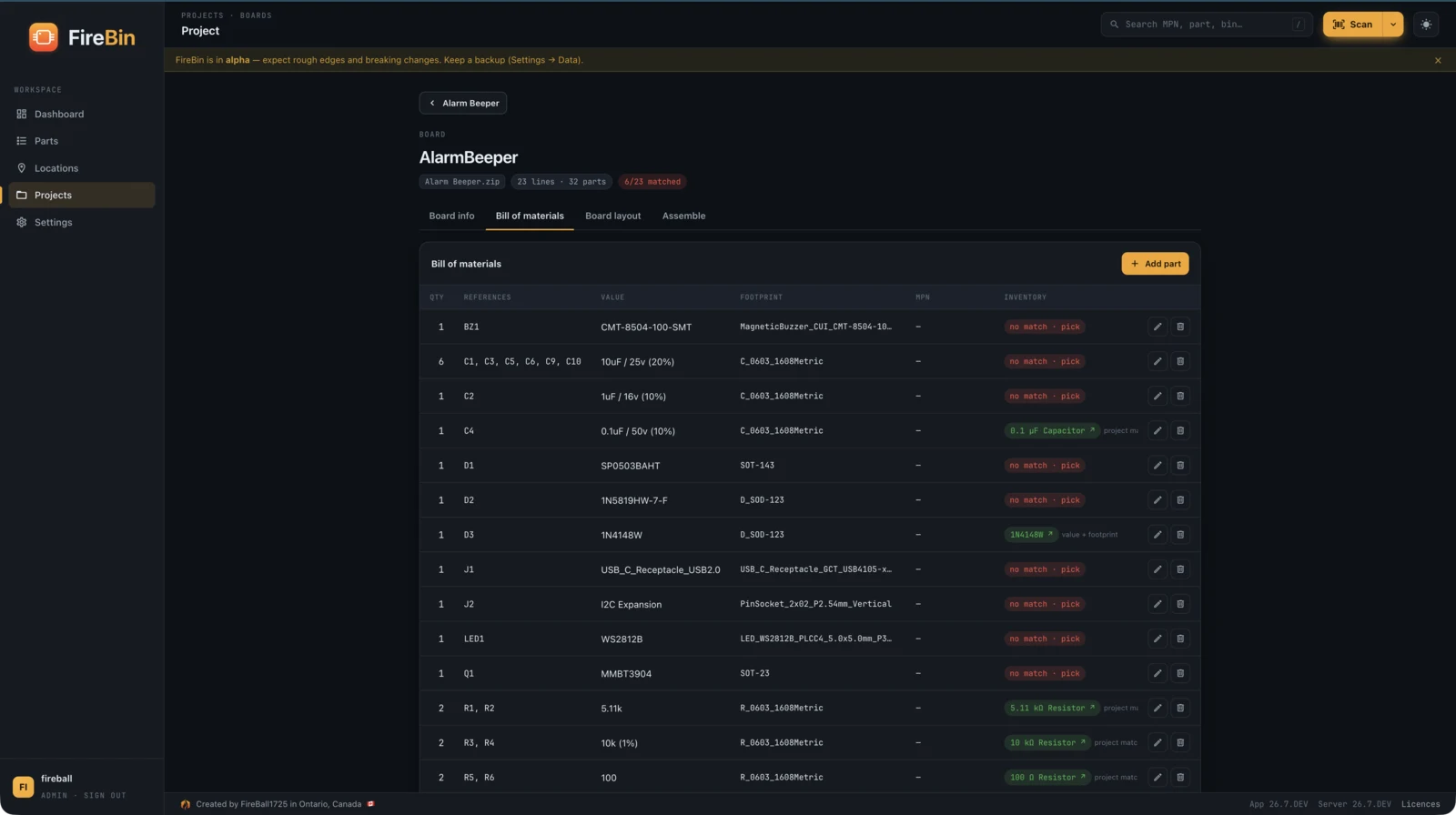
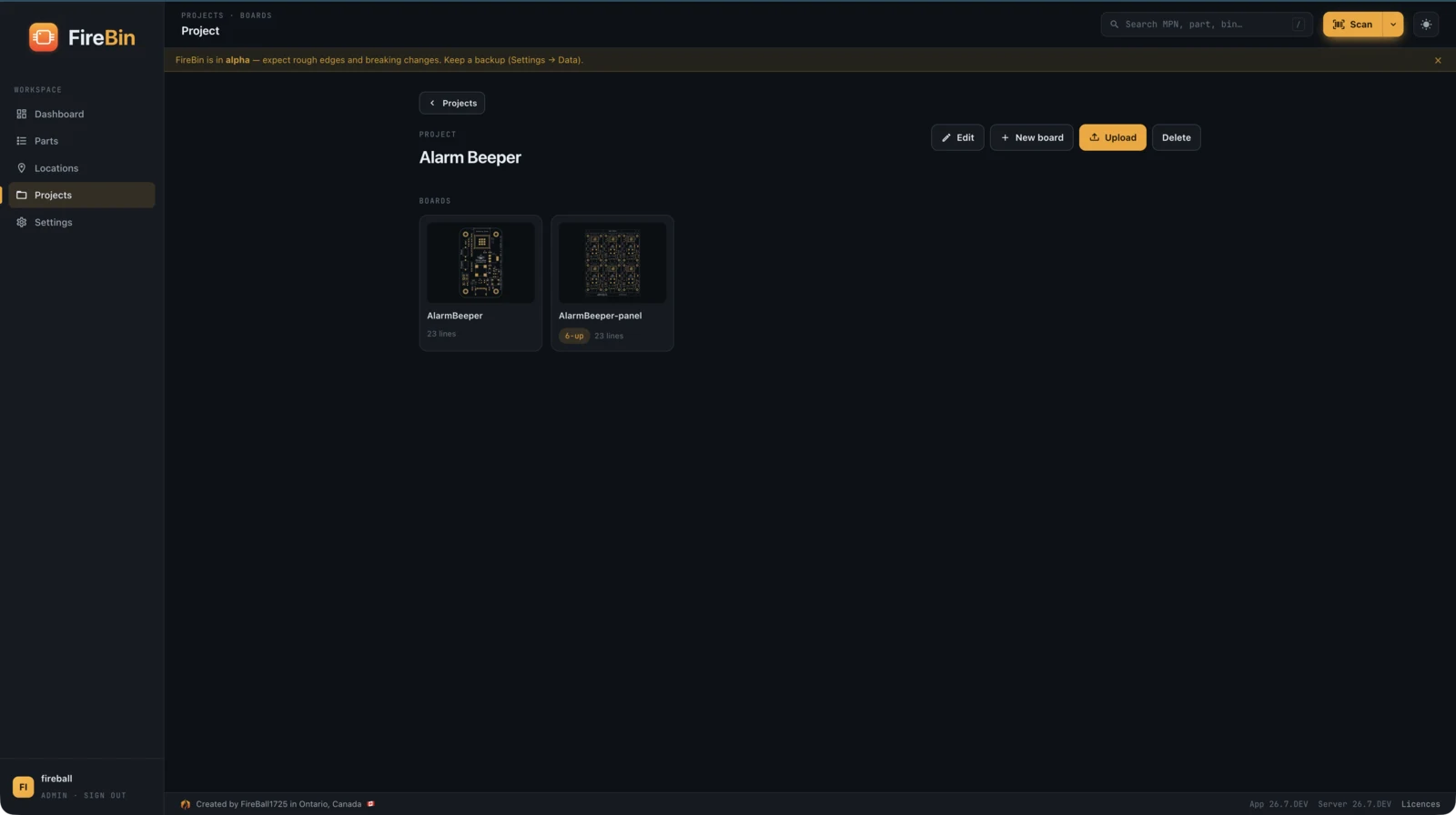
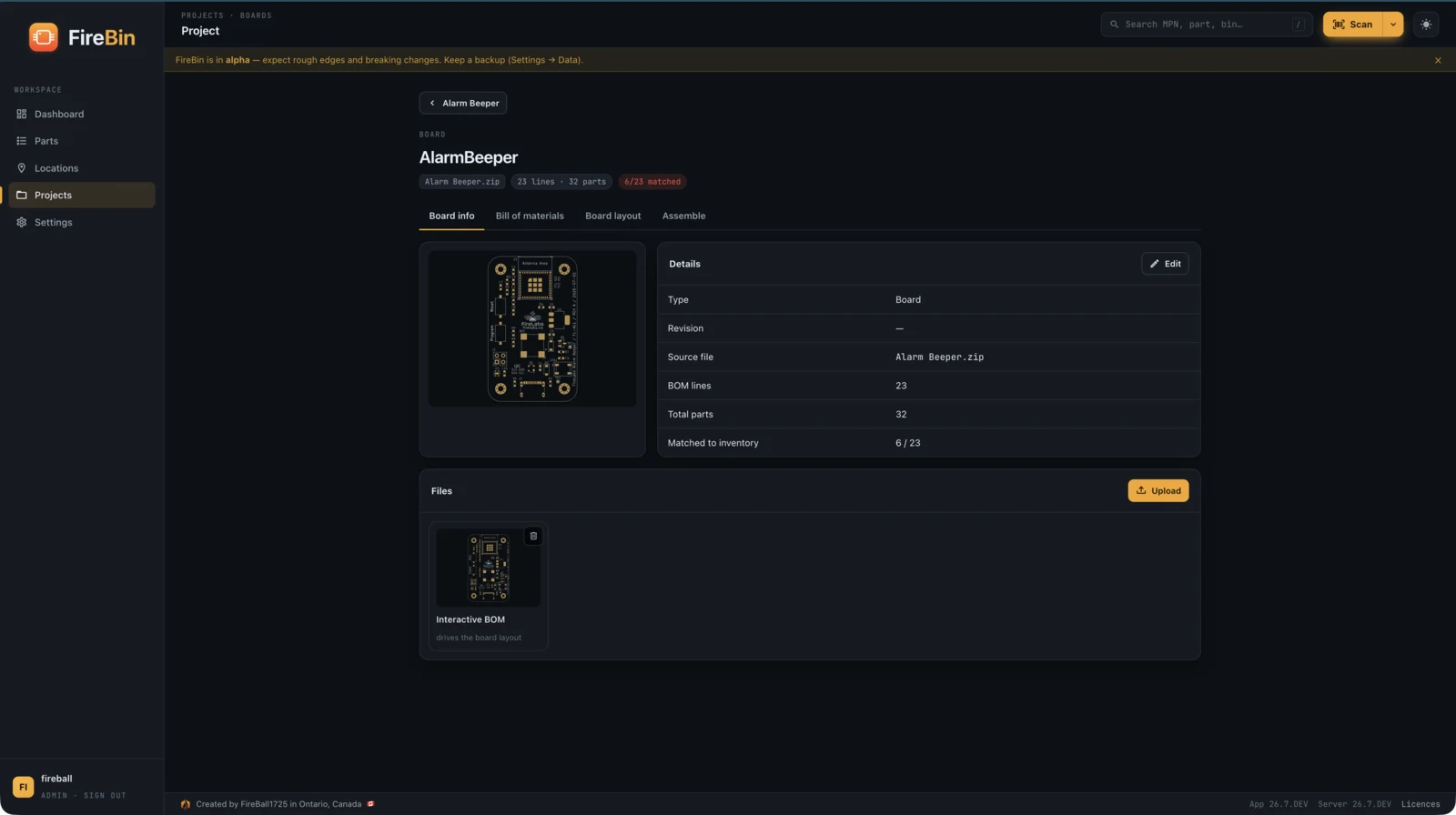
Point FireBin at a KiCad project and it reads the BOM, matches each line to a part in your inventory, renders the board so you can see what you are building, and tells you what you are short before you start. Boards live under projects, so a build is one place.
-
Reads the BOM
Parses a KiCad project and pulls each line: reference, value, footprint, and MPN where it has one.
-
Matches to inventory
Each line is matched by MPN, then by value and footprint, with the leftovers flagged for a quick manual map.
-
Renders the board
An interactive-BOM-style render shows the board with its parts placed, no plugin required.
-
Flags shortfalls
See what you have and what you are missing against current stock, before the build.
Labels that print
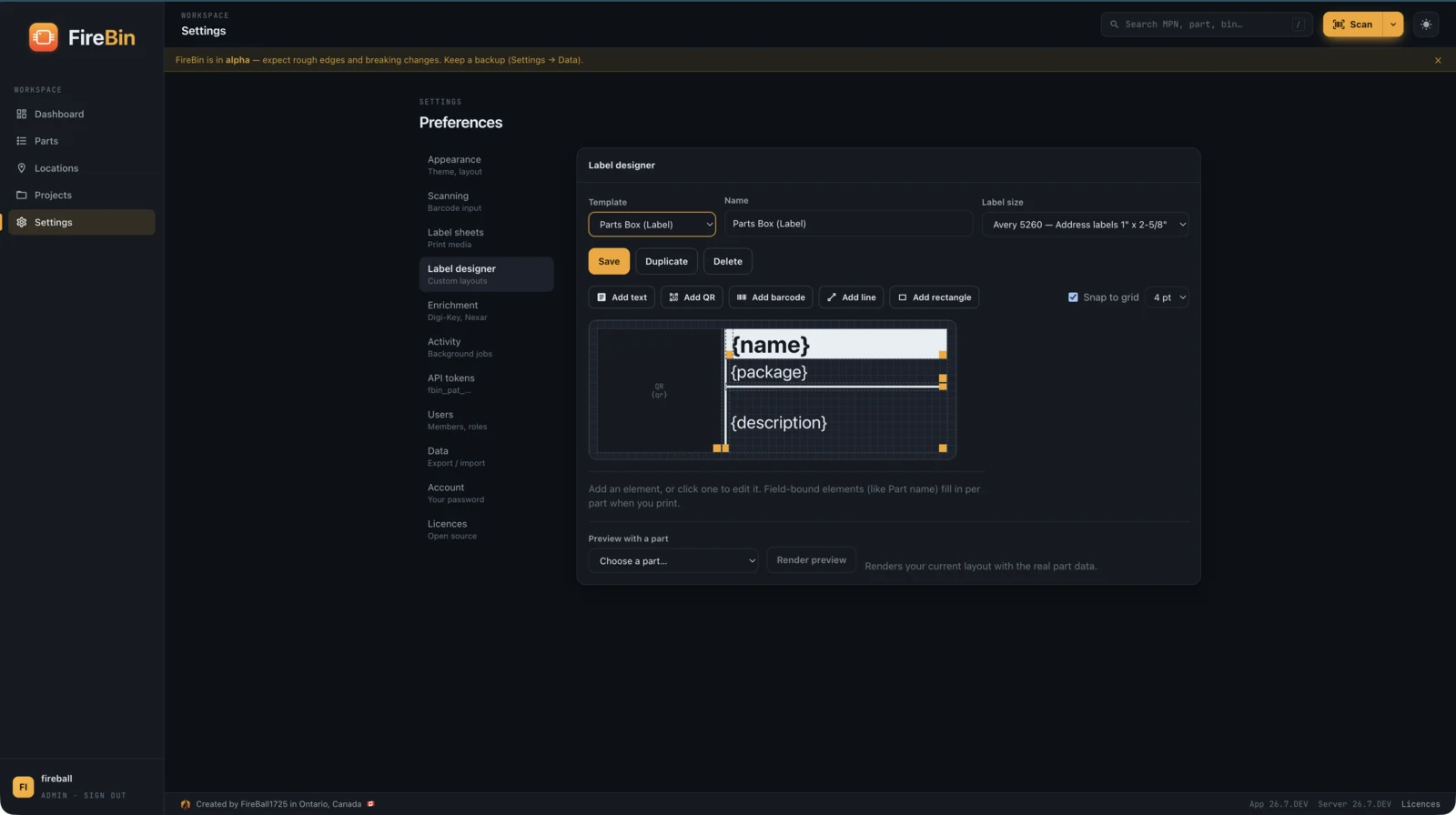
Design bin, part, and lot labels, and print them anywhere.
Design a label once and print it on whatever you have. FireBin renders bin, part, and lot labels to a PDF sheet for any printer, to a Zebra over ZPL, or straight to a Brother P-touch tape printer over WebUSB with no driver. Every label can carry a QR code, a barcode, a component symbol, and any part field.
-
Drag-and-drop designer
Place text, part fields, QR codes, barcodes, symbols, and shapes, and see the preview as you go.
-
Sheets and rolls
Print a partial Avery sheet, picking where on the page to start, or a continuous roll.
-
Zebra and Brother
Zebra printers over ZPL, and Brother P-touch tape straight from the browser over WebUSB, no driver.
-
Scannable by design
The codes are FireBin deep links, so scanning a label jumps to that part, bin, or lot.
Make it yours
Themes, symbols, and your language.
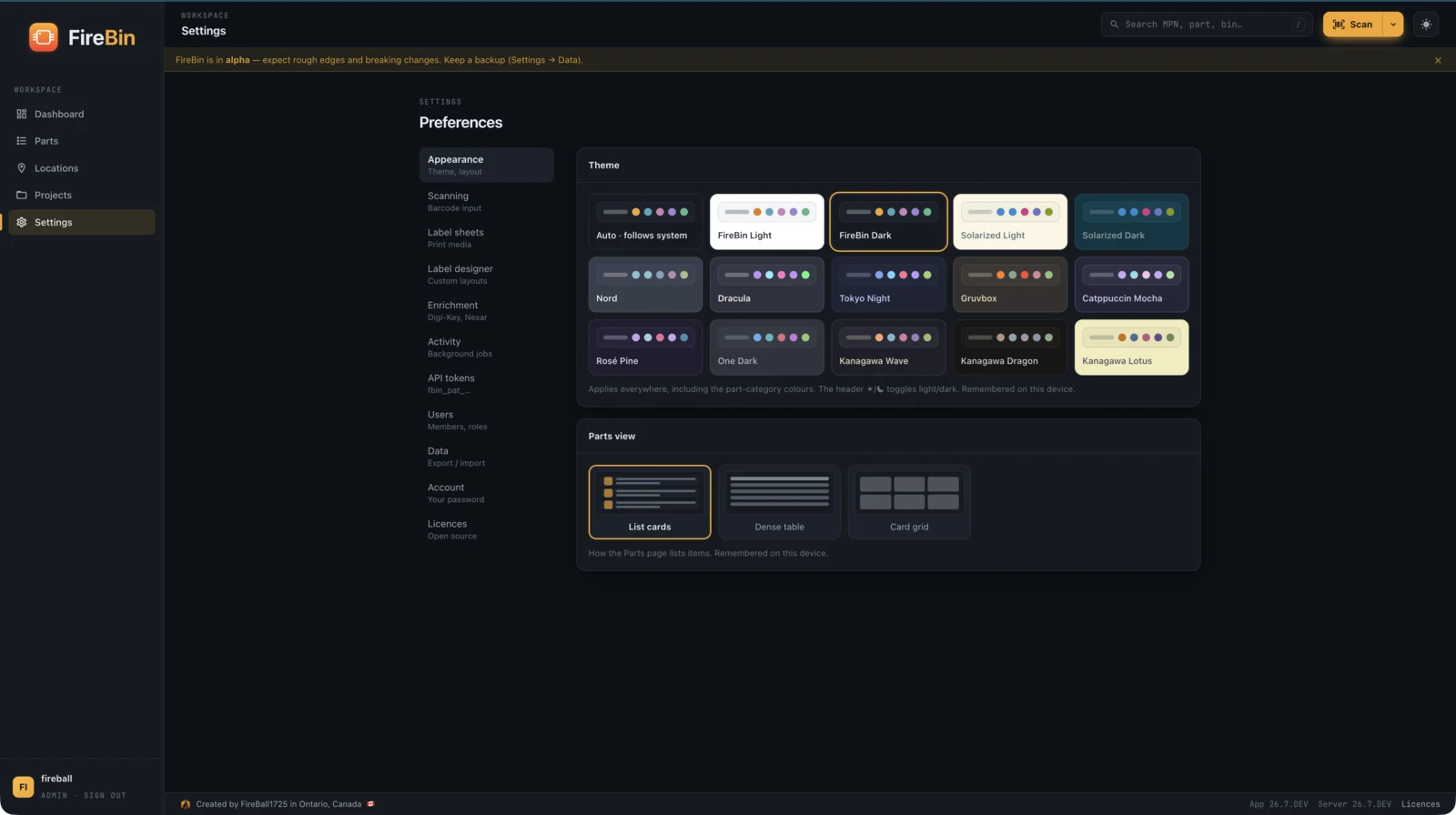
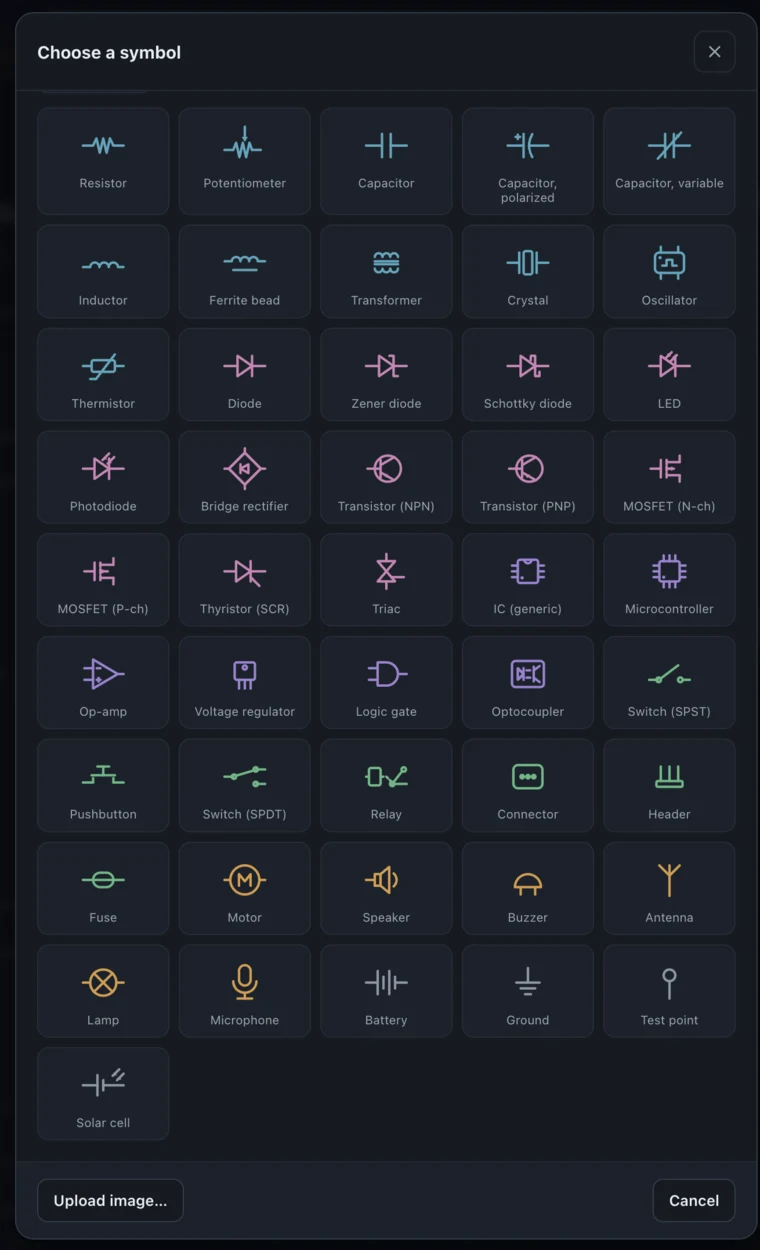
FireBin lives on your bench, so it bends to suit you. Pick a theme, light or dark. Give parts a proper component symbol from a built-in set. Turn the camera scanner and other hardware on or off. The interface is built for translation, so it can speak your language.
-
Light and dark themes
Several palettes, and it remembers your last light and dark choice per device.
-
Component symbols
A built-in set of component symbols, so a part looks like what it is, not a generic box.
-
Your hardware, your call
Toggle the camera scanner and other hardware features to match your setup.
-
Translatable
The interface is built for translation, so it is not stuck in one language.
Built to automate
A documented REST API, tokens, and live updates.
The web app is just one client. Everything FireBin does is a documented REST API with an OpenAPI spec and a live reference, so you can script it, integrate it, or build your own client. It updates in real time, runs heavy work in the background, and has roles for who can change what.
-
A real API
A documented REST API with an OpenAPI spec and a live Scalar reference you can read and try.
-
Tokens for scripts
Personal access tokens let scripts and integrations talk to FireBin without your password.
-
Real-time
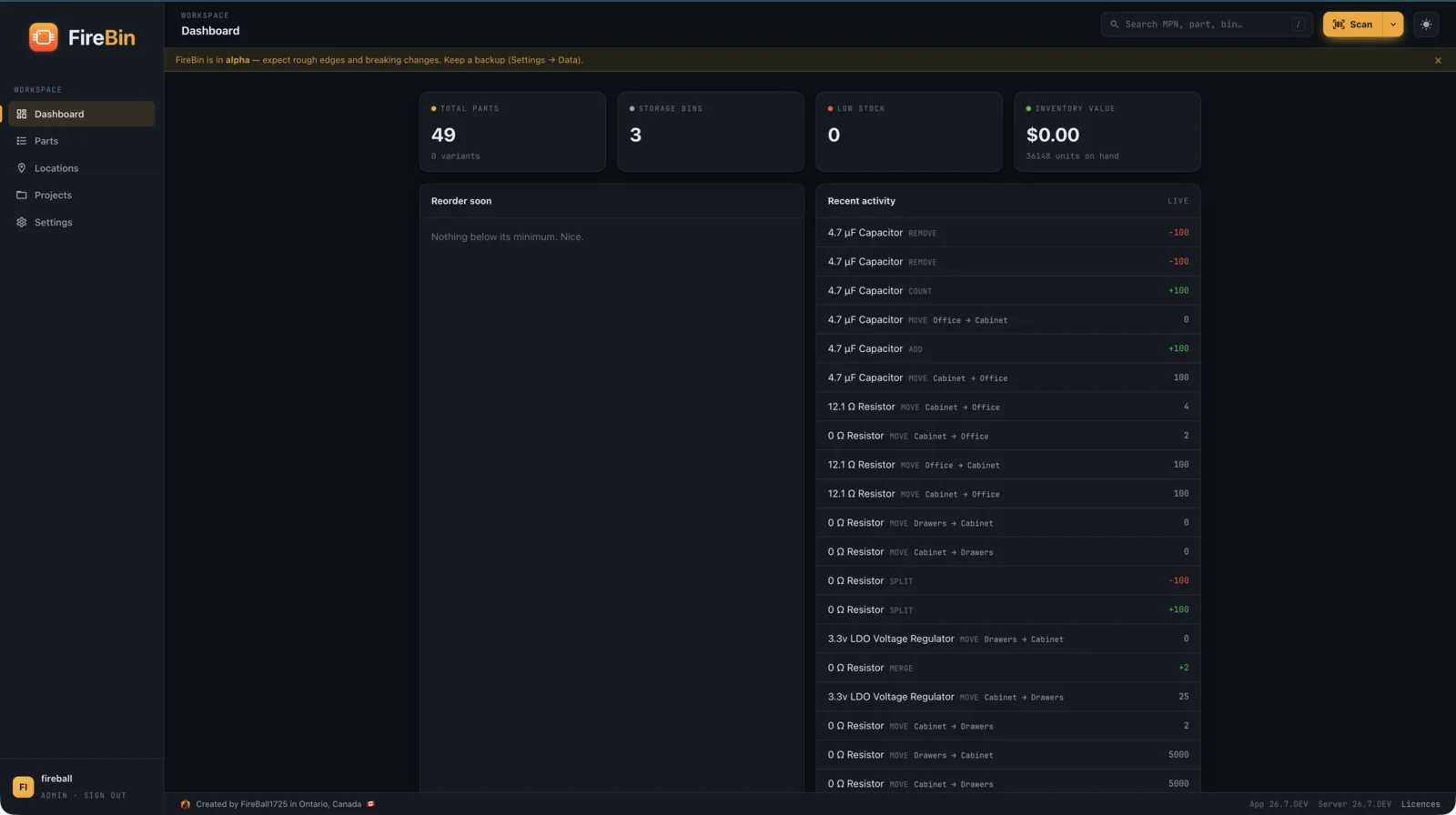
Views update as stock changes, over a server-sent-events stream, so two people stay in sync.
-
Roles and backups
Admin, member, and viewer roles, and a full JSON export you can take with you.
Ready to run it?
Three ways to get started, from a laptop to a cluster.