
FireBin is a self-hosted electronics parts inventory. Scan a distributor bag and the part enriches itself: quantity, package, brand, location, and vendor pricing.
It is in alpha. Expect rough edges, and keep a backup.
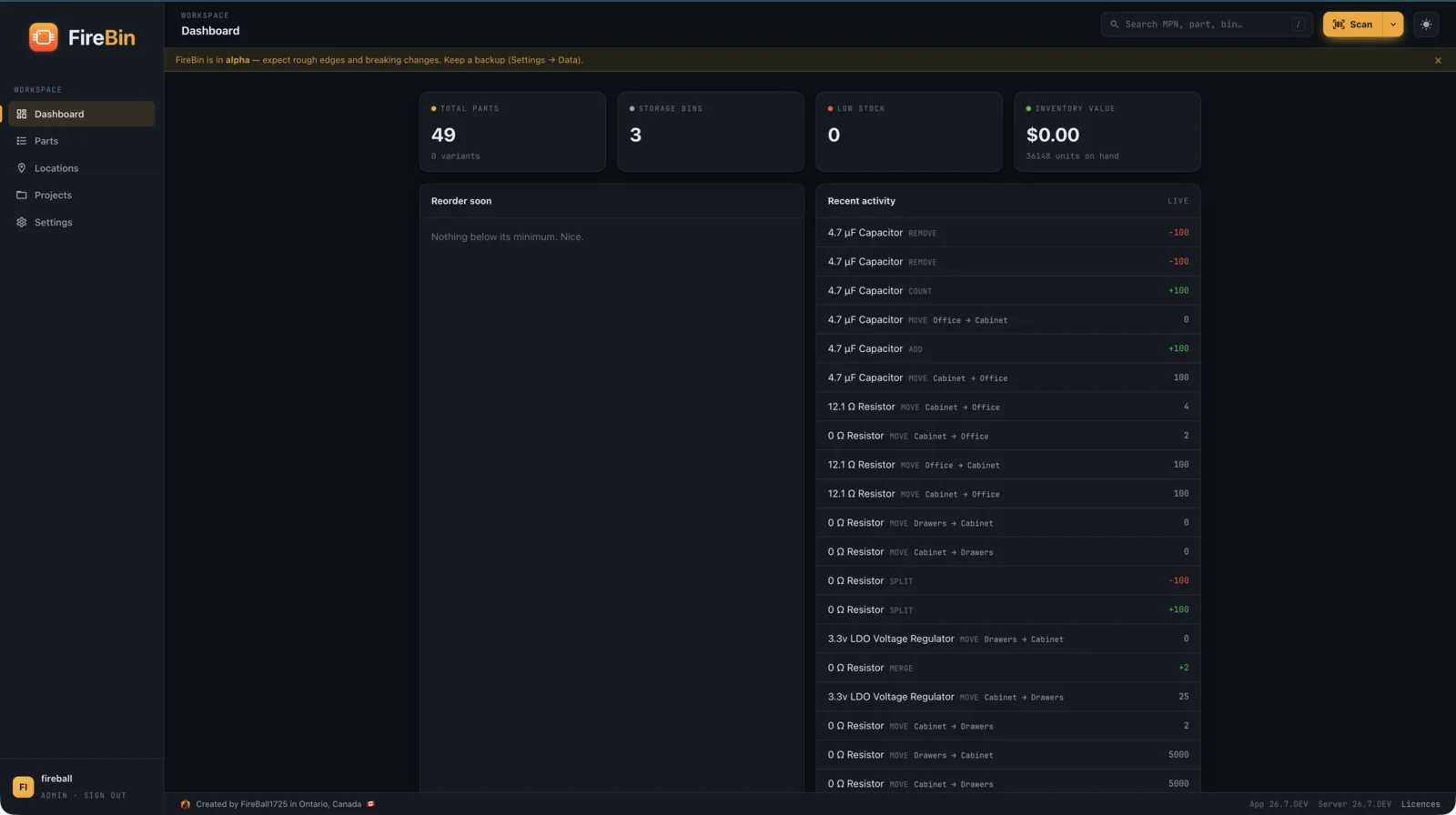
Everything a component library needs, and the scan-to-enrich workflow that makes adding a part nearly free. Open any one to see it in action.
Read the Data Matrix on a Digi-Key, Mouser, or LCSC bag and let the part enrich itself.
ExploreA "1k resistor" is one thing you reach for, with every real part number grouped underneath.
ExploreEverything about a part on tabs: typed parameters, the datasheet, suppliers and pricing, stock, and history.
ExploreScannable bins, quantity per location, and reels you can split into barcoded mini spools.
ExploreUpload a KiCad project, match the BOM to inventory, render the board, and flag what you are short.
ExploreA drag-and-drop label designer that prints to Avery sheets, Zebra, or Brother tape over WebUSB.
ExploreLight and dark themes, a set of component symbols, hardware toggles, and translations.
ExploreEverything is a documented REST API with an OpenAPI reference, access tokens, and real-time updates.
ExplorePhone camera or a USB wedge scanner reads the distributor barcode.
FireBin looks up the MPN and fills in datasheet, parameters, image, and pricing.
One tap adds the quantity to a bin. The part is on the shelf and in your inventory.
FireBin is one of several ways to track parts. Here is where it fits.
| FireBin | PartsBox | InvenTree | Part-DB | Binner | |
|---|---|---|---|---|---|
| Self-hosted, on your own server | ✓ | ✕ | ✓ | ✓ | ✓ |
| Open source | ✓ | ✕ | ✓ | ✓ | ✓ |
| Free, no subscription | ✓ | ✕ | ✓ | ✓ | ✓ |
| Scan a bag, the part fills itself | ✓ | ✓ | ◐ | ◐ | ✓ |
| KiCad BOM with a board render | ✓ | ✕ | ◐ | ◐ | ✕ |
| Brother tape over WebUSB, no driver | ✓ | ◐ | ◐ | ◐ | ◐ |
| REST API with a live reference | ✓ | ◐ | ✓ | ◐ | ✓ |
✓ built in · ◐ with a plugin, setup, or in part · ✕ not offered. A high-level snapshot; the others are capable, mature tools.
Postgres, the API, the web client, and Caddy for automatic HTTPS. Copy the env file, set three values, and bring it up.
Free
Open source, AGPL-3.0
Later
A managed option, on the roadmap
cd deploy
cp .env.example .env # set DOMAIN, JWT_SECRET, POSTGRES_PASSWORD
docker compose up -d Prefer another way? There is a Home Assistant add-on and a Kubernetes guide too.
Open source under AGPL-3.0. The API also ships a live reference.